

Before you start
- Your machine: a Mac with Apple silicon, or Linux, with OpenSSH (
sshandssh-keygen). - A funded account: sign up at https://console.darkbloom.dev and add funds there. Sandboxes draw on the same balance as Darkbloom inference.
- Access: sign in at https://api-sandbox.darkbloom.dev with the same
account, open Settings, and send the Account ID to your Darkbloom
contact. Say which platforms you need:
linux_arm64,macos_arm64, or both.
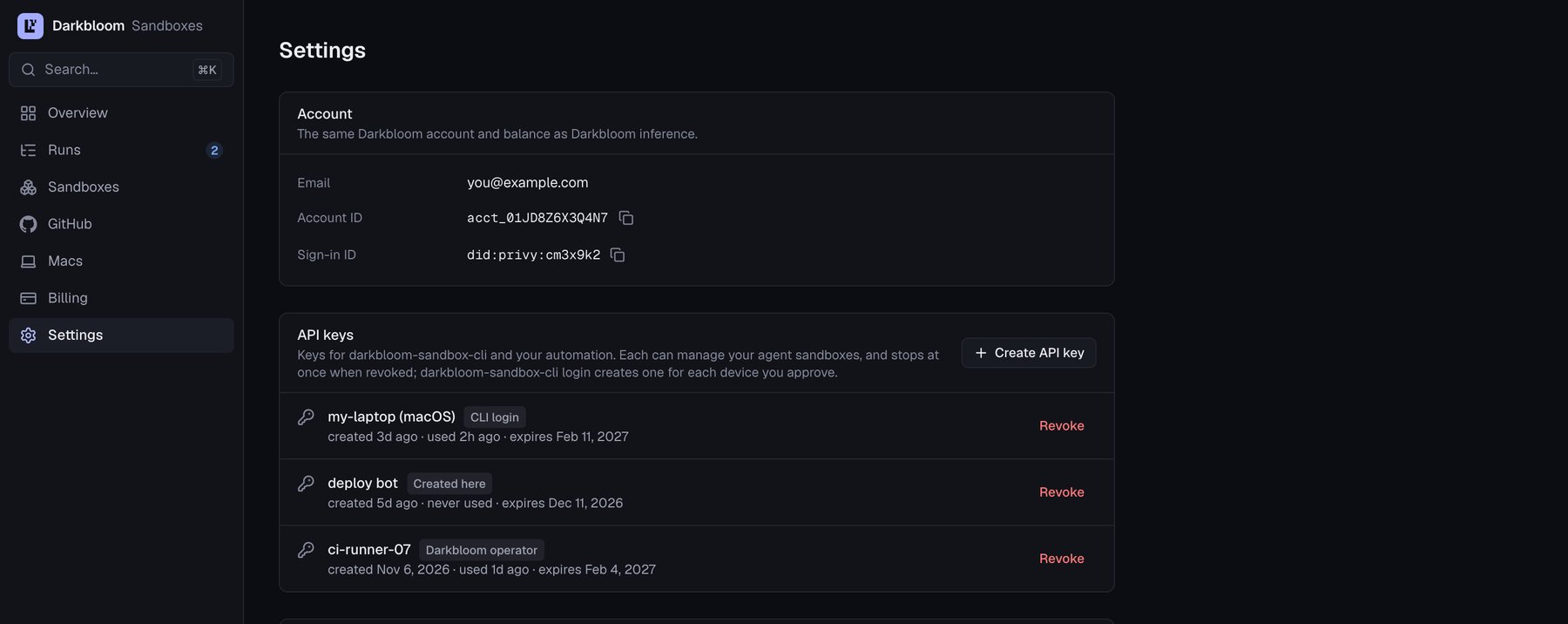
Settings in the sandbox console, where you find your Account ID and API keys. Example data.
Install the CLI and sign in
Your Darkbloom contact sends you the release build ofdarkbloom-sandbox-cli until the installer is served. Put it on your PATH.
If it reached you through a browser or a chat app, macOS quarantines it, so
clear that first:
~/.local/bin:
darkbloom-sandbox-cli login stored is used by itself.
sh -s -- --dir DIR installs elsewhere. Later,
darkbloom-sandbox-cli self-update installs the service’s current release in
place. It keeps the binary it replaced as
darkbloom-sandbox-cli.previous beside it, and refuses an older release unless
you pass --force; --check only says what is available.
Sign in, then list what you may run:
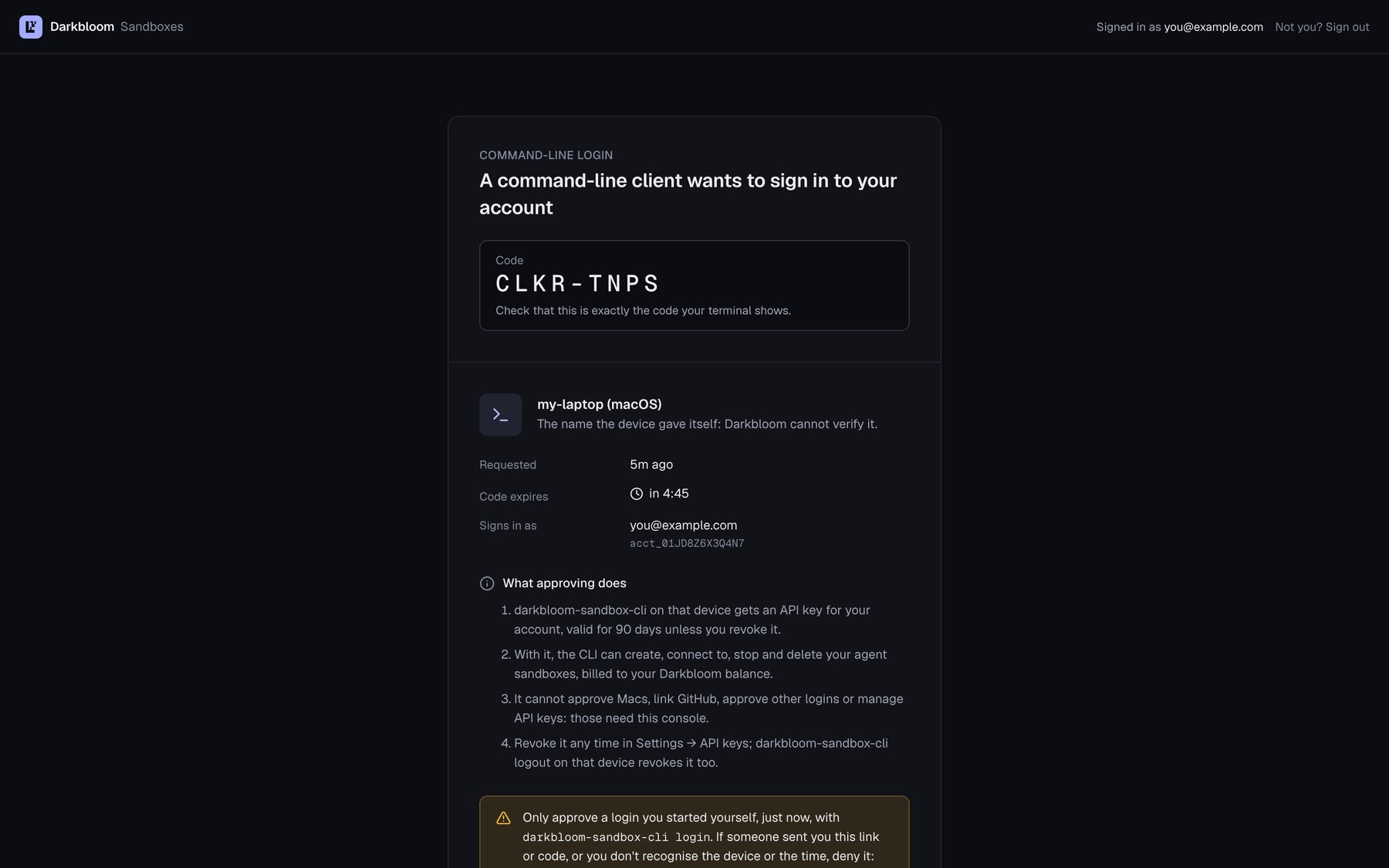
The browser page that approves darkbloom-sandbox-cli login: check the code and approve it. Example data.
login stores an API key (dbx_sk_…, valid 90 days by default, revocable in
the console’s settings) owner-only (mode 0600) in
~/.config/darkbloom-sandbox/, for that service only. login --paste or
login --token-file PATH stores a key you created in the console instead, and
DARKBLOOM_SANDBOX_TOKEN passes one to automation. logout revokes the stored
key and forgets it.
Create sandboxes
A Linux sandbox for builds. The default network policy reaches GitHub and the main package registries:--display vnc lets you open
its screen later with darkbloom-sandbox-cli vnc sbx-…:
create prints the sandbox’s ID (sbx-…). darkbloom-sandbox-cli list and
status sbx-… show each sandbox’s state, time left, and cost so far.
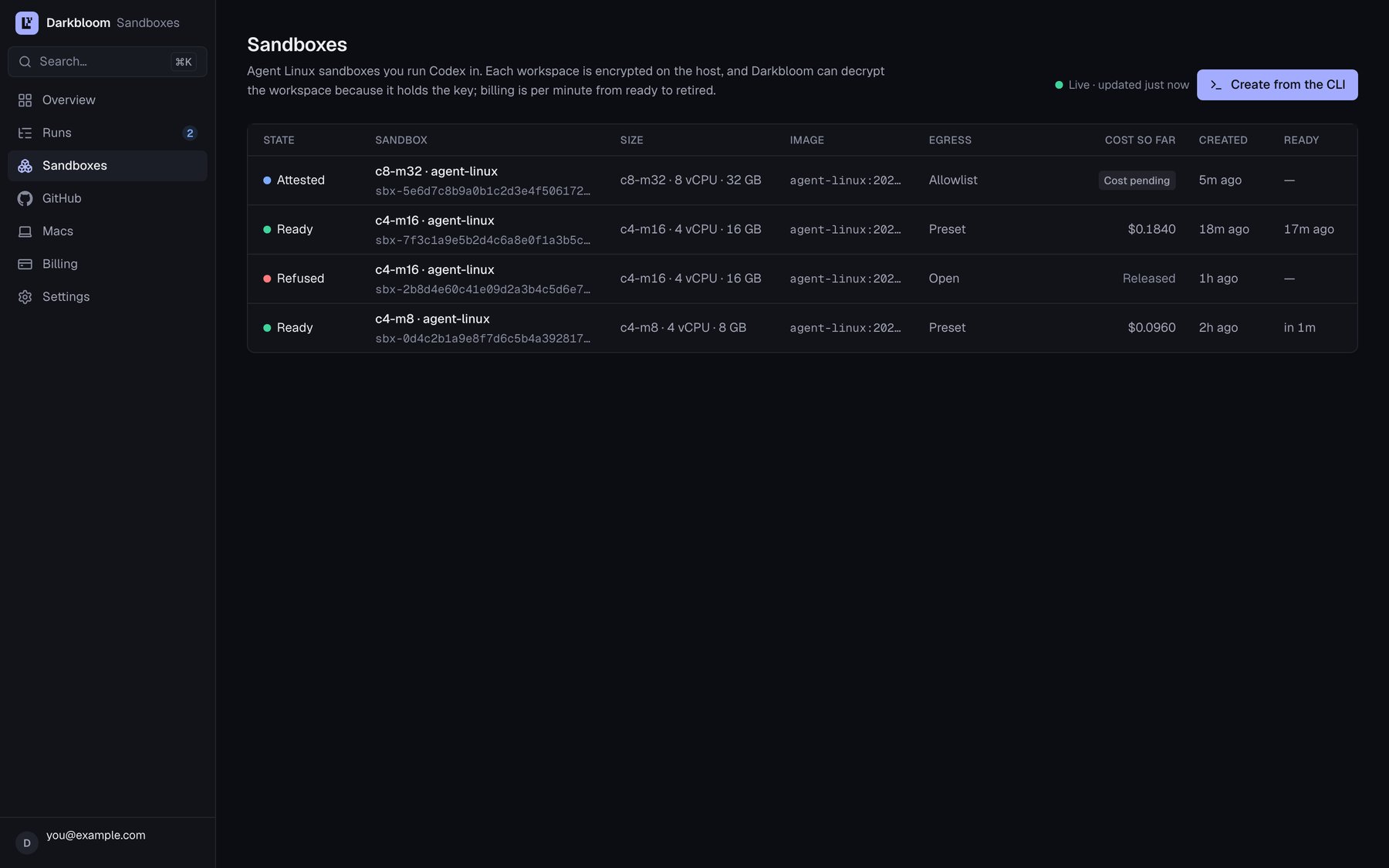
The Sandboxes page in the sandbox console: each sandbox's state, size, egress, cost so far and readiness. Example data.
HTTPS_PROXY. To reach a host outside the default, create the
sandbox with an allowlist:
--egress allowlist, plus the hosts you need.--allow-set NAMEadds a named set of hosts.--allow-host HOSTadds one host.
darkbloom-builds, for example, adds Zig, Go, Rust, and PyPI
downloads. The allowlist is fixed when the sandbox is created.
The largest sizes need the biggest Macs and may wait for capacity. If a create
fails with no_capacity, retry, pick a smaller size, and keep work that does
not need macOS on Linux.
Connect
ssh, scp, rsync, git, and editors’ remote SSH, write an SSH
config entry for each sandbox:
- Each sandbox becomes a host named
darkbloom-followed by 12 characters of its ID. - Run
ssh-config --allagain after you create or delete sandboxes. - Linux sandboxes allow port forwards (
ssh -N -L 8080:127.0.0.1:8080 darkbloom-…). macOS sandboxes allow none.
Bring your code
Push from your machine over SSH. This works for private repositories, and no credential goes into the sandbox:- Send a fine-grained, read-only token with
darkbloom-sandbox-cli secret set sbx-… GH_TOKEN < token-file. - Point a git credential helper at the secret’s file.
Keep tools in the workspace
Only the workspace survives a stop:/workspaceon Linux.~/workspaceon macOS.
--allow-set darkbloom-builds, which includes
ziglang.org. Run source /workspace/env.sh in each new login.
On macOS:
brew install(with thehomebrewset) installs into a directory that resets at every boot.- Keep Xcode’s build output in the workspace:
xcodebuild -scheme App -derivedDataPath ~/workspace/DerivedData build.
Run builds in parallel
Each sandbox is independent. Create several, then fan out from your machine:--idle-minutes with no client attached and no network
traffic. Work left running inside, in tmux or under nohup, does not keep
it alive.
- Keep an SSH session open from your machine. The loop above does this.
darkbloom-sandbox-cli keepalive sbx-… 45mholds off the idle stop, but only within the first hour of a boot.darkbloom-sandbox-cli extend sbx-… 120adds time before--max-minutes, up to 24 hours in total.
Let a coding agent drive it
darkbloom-sandbox-cli mcp is an MCP server. With it, an agent such as Codex
or Claude can:
- create sandboxes
- run commands in them
- read and write files
- stop the sandboxes again
~/.codex/config.toml):
.claude/skills/darkbloom-sandboxes/SKILL.md so the agent knows when
offloading pays off, how to push code without putting a token in a sandbox,
what keeps a long build alive, and to stop what it started.
Stop or delete
- Billing: per second from the moment a sandbox is ready, with a one-minute minimum. See billing.
- Retention: a sandbox stopped for 30 days is deleted.
Before you rely on it
- Only the machine that created a sandbox can reach it. The CLI keeps each
sandbox’s keys in
~/.config/darkbloom-sandbox/. Do not delete those records. - macOS capacity is small. A create can fail with
no_capacity: retry, pick a smaller size, and keep work that does not need macOS on Linux. - What the machines can’t do: sandboxes are arm64 only. There are no virtual machines inside a sandbox, and no GPU on Linux.
- The network: HTTPS only, through the proxy. There is no DNS inside, so a
tool that ignores
HTTPS_PROXYcannot connect. - Your workspace is encrypted on the Mac, but Darkbloom can decrypt it, and a sandbox is not yet confidential from the Mac’s owner. Keep production credentials out. See security.
- When a command fails, troubleshooting lists each error and what to do.