

Stop and resume
list shows the sandboxes that are not over. Deleted ones and ones that failed
to start stay on record for at least 30 days: list only counts them (77 ended sandboxes … are not shown), and list --all lists them. The service’s
list is bounded (100 sandboxes; more only when more than that have not ended):
when it is full the count reads at least …, and status sbx-… still shows an
older one. list --json prints the service’s whole list.
What persists
Across a stop and resume you keep:- the workspace (
/workspaceor~/workspace): your files, their owners and permissions, links, git repositories, and Codex’s login and sessions, sinceCODEX_HOMEis there; - the sandbox ID;
- its size;
- your SSH key.
apt or brew outside it is gone after a resume.
Where the workspace lives
The workspace stays on the one Mac it was created on and is not backed up. A resume runs only there:- if that Mac is busy, the service answers
no_capacity; - if it is offline,
host_unavailable; - if it is only getting ready (it has just updated or restarted, or is
downloading the sandbox’s image),
host_starting, which is worth a retry within the minute.
status keeps saying why it stopped. If the Mac leaves the fleet, the
workspace is lost with it. Keep your work in git, pushed elsewhere.
status and list say when a stopped sandbox’s Mac is offline or was removed
(home in the API; a Mac offline or Mac removed badge in the console):
- Offline under a day: it resumes once the Mac is back, and still counts toward your workspace storage.
- Offline a day or more: it no longer counts toward your storage, and it resumes only if that Mac returns.
- Removed: it can never resume (
409 host_removed) and no longer counts toward your storage. Delete it before it is deleted automatically (statussays when): deleting erases its workspace key; the automatic deletion keeps it.
Retention
A stopped sandbox costs nothing. If it stays stopped for 30 days, Darkbloom deletes it and its workspace;status and list show the date. Resume it
before then: once it runs again, the next stop starts a new 30 days.
Each resume is a new boot
A resume uses a fresh nonce, gets a new attested host key (the CLI pins it on the nextssh), a new hold, and billing from ready.
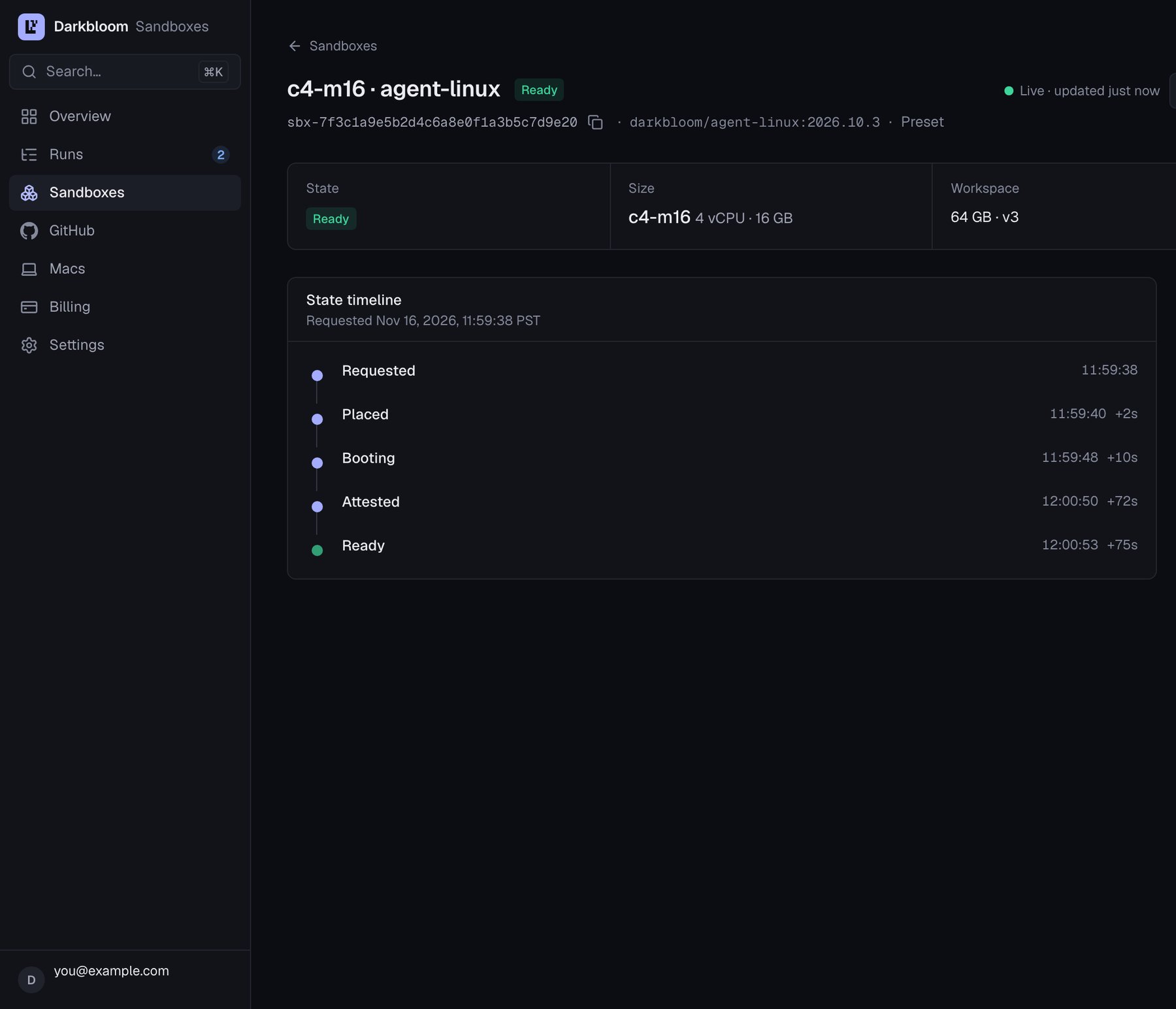
A sandbox's page in the sandbox console: its state timeline from requested to ready. Example data.
Image upgrades
Darkbloom pins one agent image per platform and moves the pin when it ships fixes. A running sandbox keeps its image until it stops; a stopped one keeps the image it was created with. A plainresume changes it only to a re-signed twin: the same image, with the
same guest content, signed again for the Mac’s new add-on. The CLI verifies a
twin before it adopts it, and says so (resumed sbx-… on image …: this workspace's image … re-signed for its Mac's new add-on). The Macs of the fleet
take a new release one by one, over hours or days, and a sandbox follows the
Mac that holds its workspace: status and list say for each sandbox whether
its own Mac still boots its image (current) or boots another now (upgrade available), so two of your sandboxes can differ.
Once its Mac boots any other image, a plain resume changes nothing and says
so (image digests shortened here):
resume instead starts sbx-… needs an image upgrade to resume:, shows both images and what an upgrade keeps, and asks Upgrade sbx-… to image … and resume it? [y/N] before it upgrades to the image it showed.
--upgrade-image upgrades without asking (for scripts and --json). An
upgrade keeps everything a resume keeps: only the image changes, and the new
boot is attested like every boot.
- Only a stopped, persistent sandbox that has run before can upgrade (else
409 upgrade_not_allowed): stop a running one first. A sandbox that was stopped before it ever started also can: its workspace was never created, so the upgrade only picks the image its first boot runs. - There is no way back to the old image, and a failed upgraded boot loses
nothing: the sandbox stays stopped on the new image, and
resumeretries. - If the CLI loses the service’s answer, it keeps the request: run the same
resumeagain, which replays exactly it. Do not use an older CLI or delete the record meanwhile.
Idle limit, keepalive, and maximum
A running sandbox stops by itself in two ways, so you never pay for one you forgot:- Idle limit (
--idle-minutes, 15 by default): it stops after that long with nothing attached (ssh,vnc,codex) and no network traffic. Work left running inside does not count: a build or training run intmuxor undernohupis stopped when you disconnect. An ephemeral sandbox loses its workspace with it. - Maximum (
--max-minutes, 240 by default): every boot stops after that long, however busy.extendraises it.
409 keep_alive_limit) and the idle limit applies again.
For longer unattended work, keep a client attached (leave
darkbloom-sandbox-cli ssh sbx-… open on your machine, for example in a local
tmux) or let it move traffic. A resume starts each boot without a keepalive
unless you pass resume sbx-… --keep-alive DURATION (held to the same limit).
The troubleshooting page lists the stop reasons
and what to do next.